Earlier this year, Professional Photographers of America released its second Benchmark Survey, compiled by PPA’s Studio Management Services accountants. This compelling document provides in-depth analysis that provides eye-opening information that will help studio owners understand why some businesses are so successful, why others fall short on profitability, and what pitfalls to avoid. PPA members can download the entire survey by clicking here.
The new survey confirms many of the fundamentals taught by PPA’s Studio Management Services. The following SMS advice pertains to newer businesses and those who are considering opening a portrait/wedding photography business:
Gain experience before you “quit your day job.” It takes time to build a successful photography business as well as many long and late hours learning to master all the complex and interrelated elements of business operations. These range from product development and workflow to promotion, sales and customer service. It helps to gain experience by working in the industry for someone else or operating a part-time business while still drawing a salary from stable employment. Keep that job until you can accomplish these goals:
Develop a following among your target market, which means actively gaining client referrals.
Develop consistent cash flow from your part-time business. Most experts agree that a photographer should be grossing between $50,000 and $100,000 annually before it is wise to consider a full-time business.
Create an efficient workflow that will allow you to deliver orders on time.
Bank enough cash to live on until your business becomes profitable. This can take from two to five years.
Don’t go into business until you are fully aware of all business costs. Even if you decide to operate a part-time business from your home, don’t get started until you are aware of all costs of doing business and how many sessions or events you must photograph to cover these costs and earn a profit. PPA’s Studio Management Services offers a one-time financial analysis for new studios grossing at least $20,000 per year. This analysis includes a business plan that will help you get off to the right start by understanding your costs, setting up your accounts, and providing suggestions on how to build your business in its early stages.
Understand the advantages of the home-based business model. Increasingly photographers are recognizing the advantage of operating a photography business from home. Among the plusses are the following: Home studios involve much less financial risk and pressure due to lower investment and operating expenses; these lower costs mean the photographer can earn an income comparable to his or her retail studio counterparts by doing many fewer sessions; being able to write off some home expenses as legitimate business deductions is an added financial bonus; being close to home has certain advantages if the photographer is raising children; and many clients enjoy the private, less-stressful atmosphere of a home studio over a busy retail location. Not every home lends itself to business operations because of zoning and/or image considerations. But when the home allows the business to operate in a professional-looking space that does not unduly intrude on the family’s lifestyle, then a residential studio offers many advantages that should not be overlooked.
Budget your capital investments very carefully. Too much debt is a key business killer. It is so easy to write checks and charge credit cards when you start a new business. Remember: Your business must be able to generate enough revenue to pay you (or the bank) back for the capital investments you make. Even if you have the cash to invest in capital items and don’t have to go into debt, that cash may be needed to help you survive the early business years when most studios do not generate enough revenue for the owner to draw a salary. Once you have the essentials, a good rule of thumb is to purchase only those extras that you can pay for within 12 months.
You can read more management advice from Studio Management Services in next month’s issue of this e-newsletter. For information on upcoming Studio Management Services, click here.
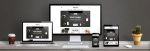
Homepage Slideshow with Multiple Music Track Support.
Accordion-style Navigation.
Slideshow Galleries with Thumbnail controls.
Customizable Background image and website colors.
Looks great on mobile devices too!
Designer Website is $495 and comes with 6 Gallery pages, 2 Information pages, and More!

Designer Websites
Designer Websites are the perfect solution for photographers whose goal is to create an impressive web presence with only a small investment of time and money. Designer Websites feature a variety of Flash and HTML designs created with the professional photographer in mind. Simply choose your favorite template, then provide Marathon with your images and text, and your website will be up and running in about two weeks! All development is managed by Marathon’s team of professional web designers, so you can be assured of a great-looking, well-functioning, attention-getting website. Learn more about Marathon's Designer Websites or Contact a Marathon Websites & Services Representative today at 800/228.0629.
Big Thanks to Mcdonald's Studio for providing the images seen in the sample site. The song "Shattered" is provided courtesy of BruceTunz. Thank you!
We've got a new Designer Website coming out soon and to whet your appetite we've designed this FREE bundle to use in your internet marketing campaign! Included in the download are files for your Facebook profile picture, a background image and colors to use on Twitter, and a header for your blog!
All templates are layered Photoshop files. While sample data is included, you'll need to insert your logo and images. A basic knowledge of Photoshop and working with layers is recommended. Although Marathon cannot provide support for modifying these files, each PSD file should give you a great start!
Instructions:
Within the downloaded ZIP file, you will find files marked for use on Facebook, Twitter, and Blog. Please open the PSD file that matches the social networking site you are working with.
Select the layer of the image placeholder you wish to drop your first photo in to. Open the new photo you want to use to replace it, then drag or paste your photo directly over the image placeholder. Right click your photo and select "Create Clipping Mask". From here you can resize, rotate or drag your photo into it's desired position using the move tool. Continue repeating this process until all image placeholders are filled.
Hide the logo layer and drop in your own logo. Feel free to add any additional design elements you want such as your tagline, address and/or phone number. Once you achieved your desired look, save as a .jpg file and upload to either Facebook or Twitter.
For help with Twitter, log in and go to "Design." Which is found under Settings.
If you need help updating your Facebook picture, try reading the documentation in the Facebook Help Center.
Our newest design will be coming soon. Keep an eye on our blog! If you have a question about the Designer Websites these templates are based on, please visit our website or contact a websites and services representative by calling 800/228.0629.
Marathon Websites & Services
commented on
July 1st, 2010
So glad you like them Carol! If you haven't before, be sure to check out all of our free downloads here: http://blog.marathonpress.com/index/search-by-tag/id/2 Enjoy!
To celebrate our newest Designer Website, Coriander, we've designed a FREE bundle for your internet marketing campaign! We've included files for your Facebook profile, a background for Twitter, and a header for your blog.
All templates are layered Photoshop files. While sample data is included, you'll need to insert your logo and images. A basic knowledge of Photoshop and working with layers is recommended. Although Marathon cannot provide support for modifying these files, each PSD file should give you a great start!
The background from this bundle is now available to use with any of our 2009-2010 Designer Websites! To see how it looks on a real site, we've put together this sample with our "Coriander" design:
Instructions:
Within the downloaded ZIP file, you will find files marked for use on Facebook, Twitter, and Blog. Please open the PSD file that matches the social networking site you are working with.
Select the layer of the image placeholder you wish to drop your first photo in to. Open the new photo you want to use to replace it, then drag or paste your photo directly over the image placeholder. Right click your photo and select "Create Clipping Mask". From here you can resize, rotate or drag your photo into it's desired position using the move tool. Continue repeating this process until all image placeholders are filled.
Hide the logo layer and drop in your own logo. Feel free to add any additional design elements you want such as your tagline, address and/or phone number. Once you achieved your desired look, save as a .jpg file and upload to either Facebook or Twitter.
For help with Twitter, log in and go to "Design." Which is found under Settings.
If you need help updating your Facebook picture, try reading the documentation in the Facebook Help Center.
If you have a question about the Designer Websites these templates are based on, please visit our website or contact a websites and services representative by calling 800/228.0629.
unable to open the zip file. have tried on 2 different computers. no success. I open zip files all the time for some reason yours doesn't work.
Thanks for any help.
Vicki
Marathon Websites & Services
commented on
June 14th, 2010
That's odd. I can't find anything wrong with the file and I've tested on several computers here. We'll email you the file directly and if you still have issues, please let us know!
We’re thrilled to announce the arrival of
Social Sharing for your email campaigns.
Our latest feature makes it easy for your audience members to share your emails with their friends and followers on social networks like Facebook, Twitter and LinkedIn. It's an excellent opportunity to be exposed to a larger group and possibly new prospects.
Here’s how it works:
You click the Add Social Sharing Options button as you’re creating your campaign and select which social network icons you want to appear on your emails.
After they receive your email, your recipients click an icon (or more than one) and share a link to your email with their friends and followers.
You may then review your results on your Response page and view which audience members are sharing your email (by clicking on the Shares tab), and which networks are generating the most traffic to your campaign.
Adding social media icons to your email campaigns takes just a few seconds, but it can increase your reach and help you identify your most avid followers. Who knew all of that could be as simple as pushing a couple of buttons?
If you’re new to this whole social networking thing — or if you know your way around Twitter and Facebook but just aren’t sure whether you want to try the Social Sharing feature — take a look at these reasons we think it’s worth doing. (And, of course, this new feature is free with your Email Marketing account.)
To harness the reach of social media. A single share can be really powerful because of the number of followers that one email recipient can reach. How powerful could this be, you ask? Well, Facebook claims that the average user has 130 friends, so every 1,000 email subscribers represents a potential audience of 130,000 people! (Actually it’s exponentially more than that because shared content can be shared further once it’s in the network.)
To share the idea of, well, sharing. You may have readers who are already active on social networks and just haven’t considered how their followers and friends could benefit from your content. It’s a simple idea, but adding the icons to your emails helps connect those dots for your audience members who just haven’t thought to share your campaigns with their contacts.
To grow your email list. This may seem obvious, but when your content is shared on social networks, it’s typically being shared with a group of people who share common interests, so it’s already likely relevant. With that in mind, we’ve made it easy for them to sign up from the landing page if they’re interested in getting future emails from you. So not only might your email get shared … but you might also gain new subscribers.
To pave a road that’s already being traveled. Even if you haven’t seen it, your recipients might already be sharing your content. The new Social Sharing icons simply give them a shortcut to doing it easily.
To pinpoint your most loyal fans. Having your audience share your content is quite an honor, of course, so you may want to provide something special for folks who regularly share or help you spread an important message. With the enhanced reporting feature for Social Sharing, we’ve made creating that list of loyal fans simple for you.
Need Help Driving Business to Your Studio This Summer?
It takes more than wishful thinking to fill up summertime sessions; it takes consistent and compelling marketing — something that doesn’t happen without a plan. The marketing pros at Marathon know that it’s difficult for studio owners to break away from their busy schedules to take care of important marketing chores, so here’s some great news:
Your Summer Marketing Campaign: Marathon has done the work for you!
Marathon has taken the hard work out of creating a comprehensive campaign that covers EVERYTHING you need to complete a summer-long marketing campaign for one or more promotions.
It’s literally as easy as 1-2-3:
1. Pick your primary marketing product. Choose three 6" x 9" marketing cards and/or select a new three-panel foldout card created especially for this promotional campaign.
2. Select your promotion. Marathon has made this easy by providing you with four appealing summer promotions to choose from, along with all the necessary marketing-support materials.
3. Use the support materials. What makes this marketing campaign a complete solution for your summer marketing needs are the additional marketing support resources that you receive at no charge. These include: professionally written back copy, a webpage using the same graphics that match your marketing pieces, a coordinating blog header and e-newsletter header — with content provided for both — as well as social media posts and coordinating graphics to complete your marketing effort with continuity and style.
The most exciting aspect of this value-packed summer campaign is that it is easy and affordable, so you'll have no excuses for procrastinating: Marathon has done what it takes to make things happen in your studio this summer!
3-panel Promotional Foldout $397 you design | $697 we design
Announce one or more summer promotions. Mail to clients and prospects, hand out to marketing partners or use at displays.
(16½" x 4¼" flat / 5½"x 4¼" folded)
1000 3-panel foldouts (1 design)
additional quantities available
3 different coordinating
6x9 Marketing Cards $775 you design | $1075 we design
You choose: Mail once for each of 3 different promotions OR 3 times for a single promotion.
Use as a series of three mailings alone or following the 3-panel Foldout.
3000 cards (1000 each design)
additional quantities available
Combo price for both
marketing products
$1052 you design | $1397 we design
Family and children’s
promotions:
Children’s Theme Photography
(your favorite set design)
Dog Days of Summer
(pet portrait promotion)
Best Friends
(kids with their pets, friends, favorite toys or pastimes)
Help Us Make A Masterpiece
(charitable marketing promotion)
Animoto for Photography is loaded with features designed to support the unique needs of businesses. In addition to Animoto's regular features, you can remove Animoto branding, create unlimited dvd-quality videos, add a custom call to action button at the end of videos and access over 500 free-to-use songs.
Special Animoto Offer:
Signup for an annual subscription and receive 2 additional free months or signup for 90 days and receive 1 month free.
Enter promo code MPannual for the $249 annual subscription or promo code MPtrial to redeem your 90-day Animoto Pro subscription for $99. If you are not completely satisfied with Animoto Pro, there is a 10-day risk-free money back guarantee.
Already using Animoto Pro? You can still redeem the promotional code to add additional time to your existing Animoto Pro account.
Give your studio a competitive advantage
Give prospective clients another reason to choose your studio over the competition by offering gorgeous video that your clients can easily share with their friends and family.
Sell DVDs to your clients
With unlimited downloads, you can easily produce DVDs that play in beautiful widescreen format on your clients' TVs. Animoto is so fast and easy to use that you can create videos for every single shoot. And, by sharing web-friendly videos with your clients via email, you can give them a tantilizing preview of the DVD they can order.
Create a new revenue stream
Do you currently sell web-friendly videos that your clients can post to their social networking site, carry on their iPhone or email to their friends and family? Animoto automatically produces each video in a web-friendly format that can be resold to clients, or used as an incentive to encourage your clients to purchase your more expensive photo packages.
Help your clients share your photography
Provide your clients with vidoes they can easily email to friends and family, post to social networking sites like Facebook and MySpace, carry on their iPhone or iPod, upload to YouTube or post to their blog or website. Each video that your clients share is a terrific brand building tool for you, and a traffic generating vehicle that can drive potential clients straight to your site!
Kick off proof sessions with video
A powerful way to launch into a proof session, generating excitement before the proof session begins and get your clients ready to order lots of prints.
Enhance your blog Marathon's Blog allows you to easily embed your Animoto videos. Make your blog even more compelling with videos that reflect holiday, seasonal, or back-to-school specials, or simply to show-off especially fantastic sessions to prospective clients.
Create marketing videos to increase business
Email Animoto videos to existing clients to remind them to schedule a holiday photo shoot, portrait sitting, pet shoot, etc.
Video of the month
Post a video of the week/month/season to your blog or website and inspire prospective clients to schedule appointments and current clients to schedule more photography sessions.
Create promotional videos for your booth
Make sure you've got the most compelling booth at your next event, bridal show or mall display by showcasing your photography as show-stopping video.
Upload promotional videos to YouTube
Increase your visibility with traffic generating "commercials" on YouTube.
Enter promo code MPannual for the $249 annual subscription or promo code MPtrial to redeem your 90-day Animoto Pro subscription for $99.
produces marketing solutions for professional photographers through promotional printing, Internet marketing, and educational resources. Marathon is prepared to help in building a business that allows you to follow your passion and create long-term professional success.
Carol McFarland commented on July 1st, 2010
Awesome! Thank you!